One task. One worktree.
Keep your current changes where they are. Create a separate directory and branch for the next thing.
GIT WORKTREES. ONE COMMAND AWAY.
A quick fix. A code review. Your next idea.
Give each task its own workspace, and pick up right where you left
off.
Keep your current changes where they are. Create a separate directory and branch for the next thing.
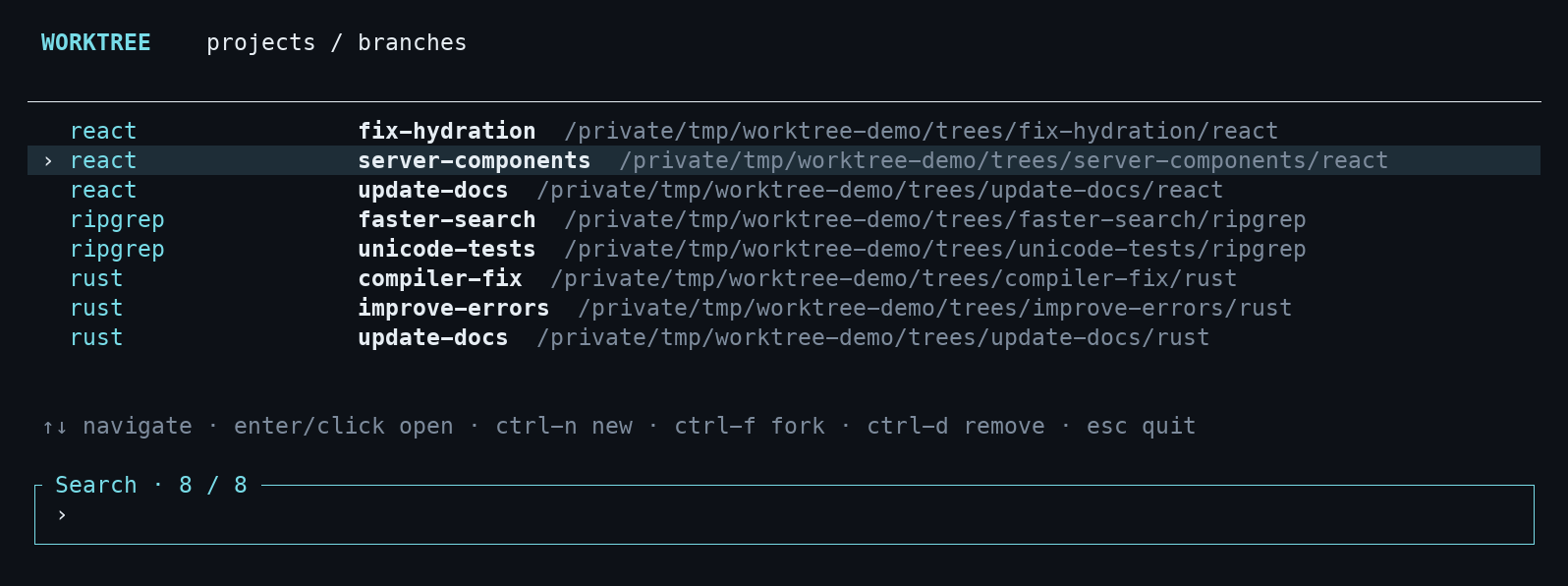
Fuzzy-search projects and branches in one terminal picker. Arrow keys, Enter, or a click. You’re there.
Works with zsh and bash. Finds registered projects and Codex worktrees. Fits into the way you already work.
A SMALL TOOL FOR THE EVERYDAY
Git worktrees let you work on multiple branches in separate directories. worktree makes creating and moving between them feel natural.
Read the full usage guide$ worktree create
fix-parser
Create a worktree and switch to it. Existing branch? It uses that.
$ worktree
Pick your workspace, or go straight there with
worktree open fix-parser.
$ worktree fork fix-parser
                  experiment
Fork into a new branch with your staged, unstaged, and untracked work carried along.
LESS IS MORE.
Do one thing. Make it easy. Get out of the way.
A small tool
for Git worktrees, with your terminal at the center.
YOUR NEXT TASK STARTS HERE
Install with Homebrew, enable your shell, and run
worktree inside a Git project.
Works on macOS and Linux. Git is required.
Homebrew builds
the current main branch from source.
brew tap alex-ross/worktree https://github.com/alex-ross/worktree
brew trust --formula alex-ross/worktree/worktree
brew install --formula --HEAD alex-ross/worktree/worktreesource "$(brew --prefix worktree)/share/worktree/init.zsh"source "$(brew --prefix worktree)/share/worktree/init.bash"
Open a new terminal, enter a Git
project, and run worktree.